Key takeaways
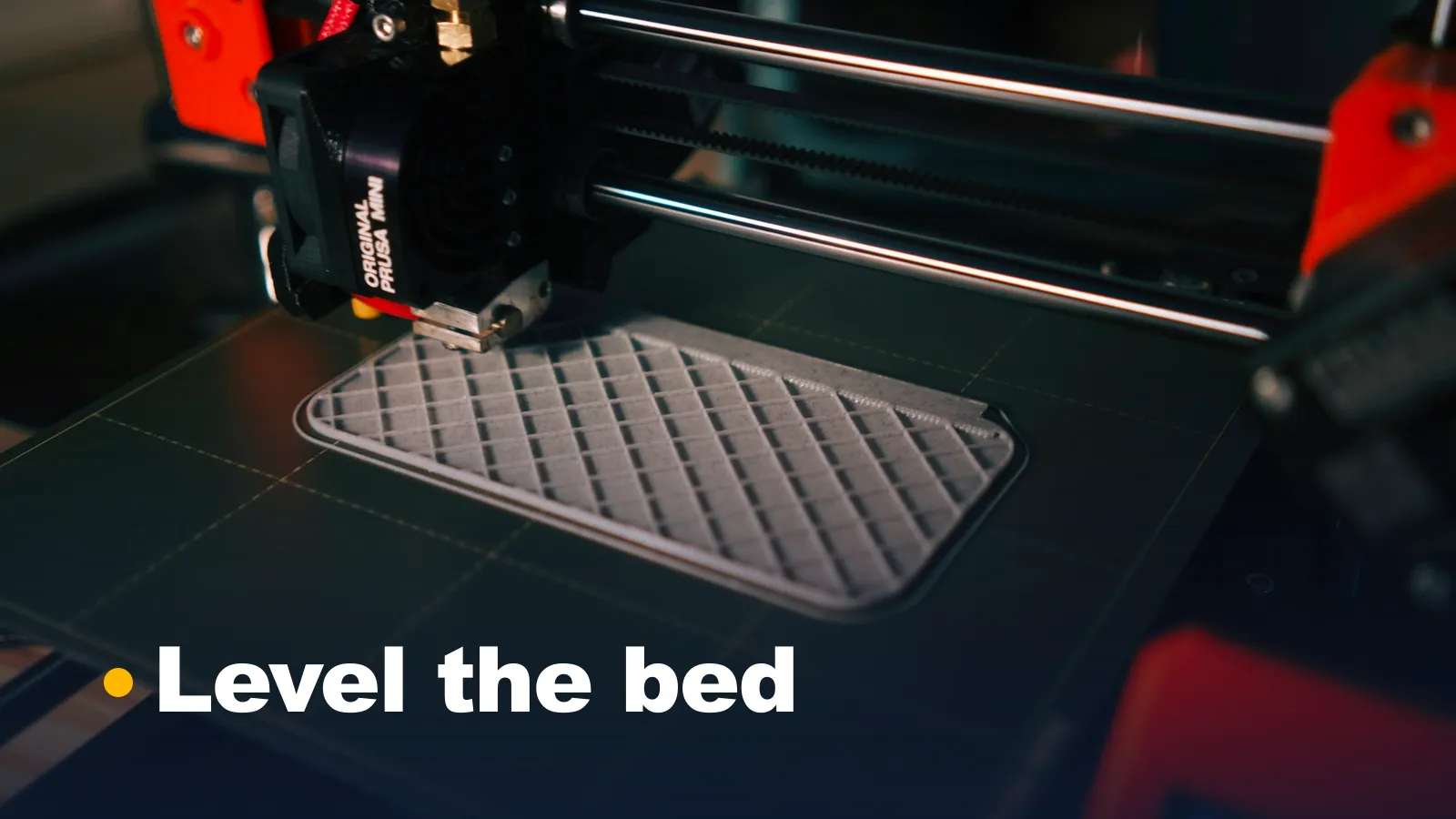
- Bed leveling sets the distance between the nozzle tip and the print surface, so the first layer sticks and is slightly squished.
- To level by hand, slide a sheet of paper (about 0.1 mm thick) under the nozzle at each corner and turn the knob until it drags slightly.
- Auto leveling measures the bed at a grid of points and adjusts as it prints, but you still need to set the Z offset.
- Gaps between first-layer lines mean the nozzle is too high; lines squished flat with ridges mean it's too low.
3D printer bed leveling is the process of setting an even gap between the nozzle and the print bed so the first layer sticks. This guide explains what leveling and Z offset mean, how to level by hand in 6 steps, how auto leveling works, how to read your first layer, and how often to do it.
What is bed leveling on a 3D printer?
Bed leveling sets the distance between the nozzle tip and the print surface so plastic sticks and is slightly squished, as Prusa describes it. It covers 3 separate jobs:
- Tramming: physically adjusting the bed's screws or knobs so it sits flat under the nozzle.
- Mesh leveling: a sensor measures the bed at a grid of points, and the printer adjusts the nozzle height as it prints to follow small warps.
- Z offset: the final gap between nozzle and bed, which you fine-tune even with auto leveling, says Creality.
Klipper's documentation notes that a mesh compensates for an uneven surface but can't fix a loose or misaligned machine.
How do you level a 3D printer bed by hand?
Use a sheet of paper as a feeler gauge at each corner. Creality's method has 6 steps:
- Clean the bed with isopropyl alcohol.
- Heat the nozzle and bed to printing temperature, so parts are at their working size.
- Home the printhead from the printer's menu.
- Move the nozzle to a corner and slide a sheet of standard printer paper under it.
- Turn the nearest knob until the paper has a tiny drag.
- Repeat at every corner and the center until all 5 points feel the same.
Klipper says regular copy paper is about 0.1 mm thick, and that using the same paper each time matters more than its exact thickness. Makers disagree on heating first: Klipper's guide tests at room temperature to avoid burns, so follow your printer's manual.
How does auto bed leveling work?
A sensor probes the bed at several points and the printer builds a height map, then raises or lowers the nozzle to follow it. Prusa says this gives an even first layer even on a slightly warped bed.
Printers use 4 main probe types:
| Probe type | How it works | Example |
|---|---|---|
| Touch probe | A pin touches the bed | Antclabs BLTouch |
| Inductive sensor | Uses induction to sense the bed | Prusa P.I.N.D.A. |
| Load cell | Detects the nozzle itself touching the bed | Prusa MK4 and XL |
| Strain gauge | Sensors in the heatbed feel the nozzle press | Creality K1 |
Antclabs says the BLTouch repeats its measurements to within about 0.005 mm and works on glass, wood or metal beds. On Marlin firmware, G28 homes the printer and G29 probes the bed; on Klipper, BED_MESH_CALIBRATE does the same job.
How can you tell if the bed is level?
Look at the first layer: it should be even, with lines that touch and are slightly squished. Prusa and Creality describe 2 problems:
- Nozzle too high: gaps between lines, round strands, and poor adhesion.
- Nozzle too low: lines squished completely flat with ridges between them; Prusa says edges can curl too. Too low can clog the nozzle or damage the sheet.
If one corner prints well and another doesn't, the bed is tilted or warped. Re-level the corners, then let mesh leveling handle small warps. Our Entina 3D printer review tests a budget printer.
How often should you level the bed?
Level when something changes, not on a timer. Creality lists 6 triggers:
- Before first use.
- After moving the printer.
- After replacing parts.
- During regular maintenance.
- After a firmware update or settings reset.
- When the first layer won't stick or prints warp.
Some printers do it automatically: Prusa's MK4 and XL probe before every print, and Bambu Lab recommends leveling the A1 after every build plate change.
What else affects the first layer?
A clean bed matters as much as a level one. Prusa says to wipe a cold sheet with 90% or stronger isopropyl alcohol and an unscented paper towel, never to use acetone on textured or satin sheets, and not to fix poor adhesion just by lowering the nozzle.
Wet filament also hurts first layers, so see our guide to drying 3D printer filament. For a new printer with auto leveling built in, our 5 best 3D printers list compares current models.
Common questions
How often should you level a 3D printer bed?
There's no fixed schedule. Creality says to level before first use, after moving the printer or replacing parts, and when prints stop sticking. Bambu Lab recommends leveling the A1 every time you change the build plate, and Prusa's MK4 probes the bed before every print.
Do you level the bed hot or cold?
Follow your printer's manual. Creality and Elegoo say to heat the bed and nozzle first, because parts expand when hot, while Klipper's guide does its paper test at room temperature to avoid burns.
How weak is 10% infill?
Strong enough for most parts. Prusa says most models print well with 10 to 15% infill and you'll rarely need more than 30%, because strength comes mostly from the number of perimeters, not infill.
Is 0.28 mm a good layer height?
Yes, for a 0.4 mm nozzle. Prusa says layer height should stay below 80% of the nozzle diameter, about 0.32 mm for a 0.4 mm nozzle, and advises against going below 0.10 mm.
Writes guides and reviews for ProductHunter.